List of apps and settings I use at work
Last time I set up my new computer from scratch, and I want to share everything I installed and how I configured my IDE. I hope you will find something for yourself.
Apps
- Flycut - this is the most important application of all. I installed it instantly after initial setup. Clipboard with memory.
- Google Chrome - I’ve tried Arc, Brave, Dia, and I was really impressed, but I came to the basics, and it turned out to be the best fit for me.
- Spark - Email Client I love. It boosts my productivity. Filtering unread emails and multi-account setup are excellent.
- Spotify - Must have.
- Notion - I don’t have to introduce this to anyone.
- QuickNote - While Notion helps me to stay organized, this is my scratchpad. I use it for meeting notes, drafts, etc. (fn+q)
- Jomo - Helps to stay focused and not fall into dump scrolling.
- Grammarly - Something I’m testing and I like it a lot!
- Warp - top-tier terminal for me.
- Slack - my main comunicator. Remember to add pepe emojis to it.
IDE
I use Cursor, which has the best-in-class autocompletion, and I overuse it. I’m trying to adapt to agent mode. This is what it looks like:
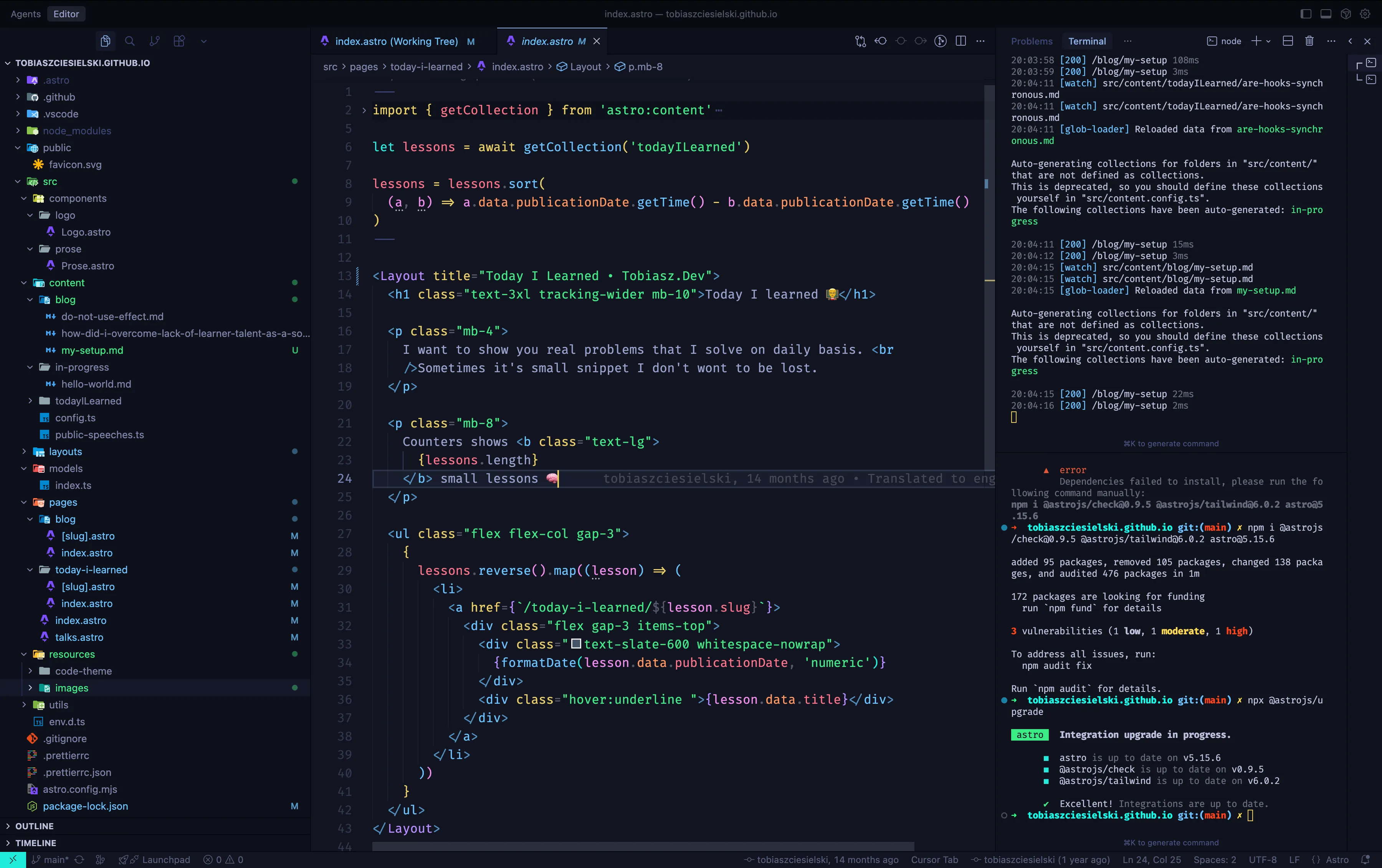
Settings:
{
    "workbench.colorTheme": "Bearded Theme Arc Blueberry",
    "workbench.iconTheme": "material-icon-theme",
    "workbench.startupEditor": "none",
    "editor.fontFamily": "Fira Code",
    "editor.tabSize": 2,
    "editor.fontSize": 16,
    "editor.fontLigatures": true,
    "editor.formatOnSave": true,
    "editor.cursorBlinking": "expand",

    "editor.foldingImportsByDefault": true,
    "editor.codeActionsOnSave": {
        "source.removeUnusedImports": "always",
        "source.addMissingImports.ts": "always",
        "source.fixAll.eslint": "always",
        "source.sortImports": "always"
    },
    "[astro]": {
        "editor.defaultFormatter": "astro-build.astro-vscode"
    },
    "typescript.updateImportsOnFileMove.enabled": "always",
    "javascript.updateImportsOnFileMove.enabled": "always",
    "eslint.format.enable": true,
    "eslint.enable": true,
    "trailing-spaces.trimOnSave": true,
    "[typescriptreact]": {
        "editor.defaultFormatter": "esbenp.prettier-vscode"
    },
    "[typescript]": {
        "editor.defaultFormatter": "esbenp.prettier-vscode"
    },
    "[json]": {
        "editor.defaultFormatter": "esbenp.prettier-vscode"
    },
    "[css]": {
        "editor.defaultFormatter": "esbenp.prettier-vscode"
    },
    "[html]": {
        "editor.defaultFormatter": "esbenp.prettier-vscode"
    },
    "[javascript]": {
        "editor.defaultFormatter": "esbenp.prettier-vscode"
    },
    "security.workspace.trust.untrustedFiles": "open",
}
Extensions:
- Angular Language Service
- Astro
- Auto Close Tag
- Auto Rename Tag
- Bearded Theme
- ESLint
- GitLens - Git supercharged
- HTML CSS Support
- JavaScript and TypeScript Nightly
- Material Icon Theme
- npm Intellisense
- Prettier - Code formatter
- Pretty TypeScript Errors
- Tailwind CSS IntelliSense
- Trailing Spaces
- Typescript (Native Preview)
Hardware
- 💻 MacBook Pro 14”, M4 Pro, 1TB SSD, 48Gb RAM,
- 🎧 EarPods and AirPods 4,
- 🖥️ Monitor Samsung C49RG90SSR,
- 💡Baseus I-Wok Pro,
- 🐭 Apple Magic Mouse / Logitech MX Master 3,
- ⌨️ Apple Magic Keyboard (ISO) / Logitech MX Keys Mini